Google Workspace Logo

Google Workspace for Businesses | Secure Collaboration & Productivity Tools

Modern businesses need powerful tools that enable seamless communication, efficient collaboration, and secure data management. Google Workspace is a comprehensive cloud-based productivity platform designed to help teams work smarter and faster. With integrated applications like Gmail, Drive, Docs, Sheets, Meet, and Calendar, businesses can streamline workflows and improve productivity across their organization.

At Software Sale, businesses can easily access reliable solutions and flexible pricing options to get started with Google Workspace. Whether you are a small startup or a growing enterprise, this powerful platform offers the tools needed to enhance collaboration, manage data securely, and keep your team connected from anywhere.

Admin Hero

Intelligent tools your business can depend on

Plans starting at ₹ 160.65 ₹ 864 ₹ 1,700 /account/month

Gsuite Gmail Dashboard
Google Chat
Google Drive
Google Docs Sheets
Google Slides

Leverage the power of Google's machine intelligence to build a smarter team

Google Workspace combines artificial intelligence with productivity tools to create a modern digital workplace. The platform allows teams to collaborate in real time, automate tasks, and access important files from any device.
With intelligent features such as AI-powered assistance, smart scheduling, and cloud-based storage, organizations can work more efficiently and stay focused on business growth.

Gmail Logo

Get the Power of Gmail

A professional email address plays a crucial role in building trust and credibility for any business. Google Workspace provides secure and reliable business email through Gmail with your custom domain name. The Gmail interface includes advanced features like spam protection, smart search, integrated chat, and powerful filters. These tools help teams manage communication efficiently while maintaining professional email standards.

Google Calendar

Google Calendar – Keep Your Schedule Organized

Managing schedules across teams can often be challenging. Google Calendar simplifies scheduling by allowing users to set reminders, book meetings, and manage appointments in a centralized platform. Smart scheduling suggestions and calendar integrations make it easier to coordinate meetings and ensure everyone stays informed about upcoming events.

Google Meet

Google Meet – Communicate on the Go

Businesses today require reliable communication tools for remote collaboration. Google Meet allows teams to connect instantly through secure HD video calls. With features such as screen sharing, live captions, and integrated chat, employees can easily communicate and collaborate regardless of their location.

Gsuite Communicate
Google Drive Logo

Intelligent Collaboration

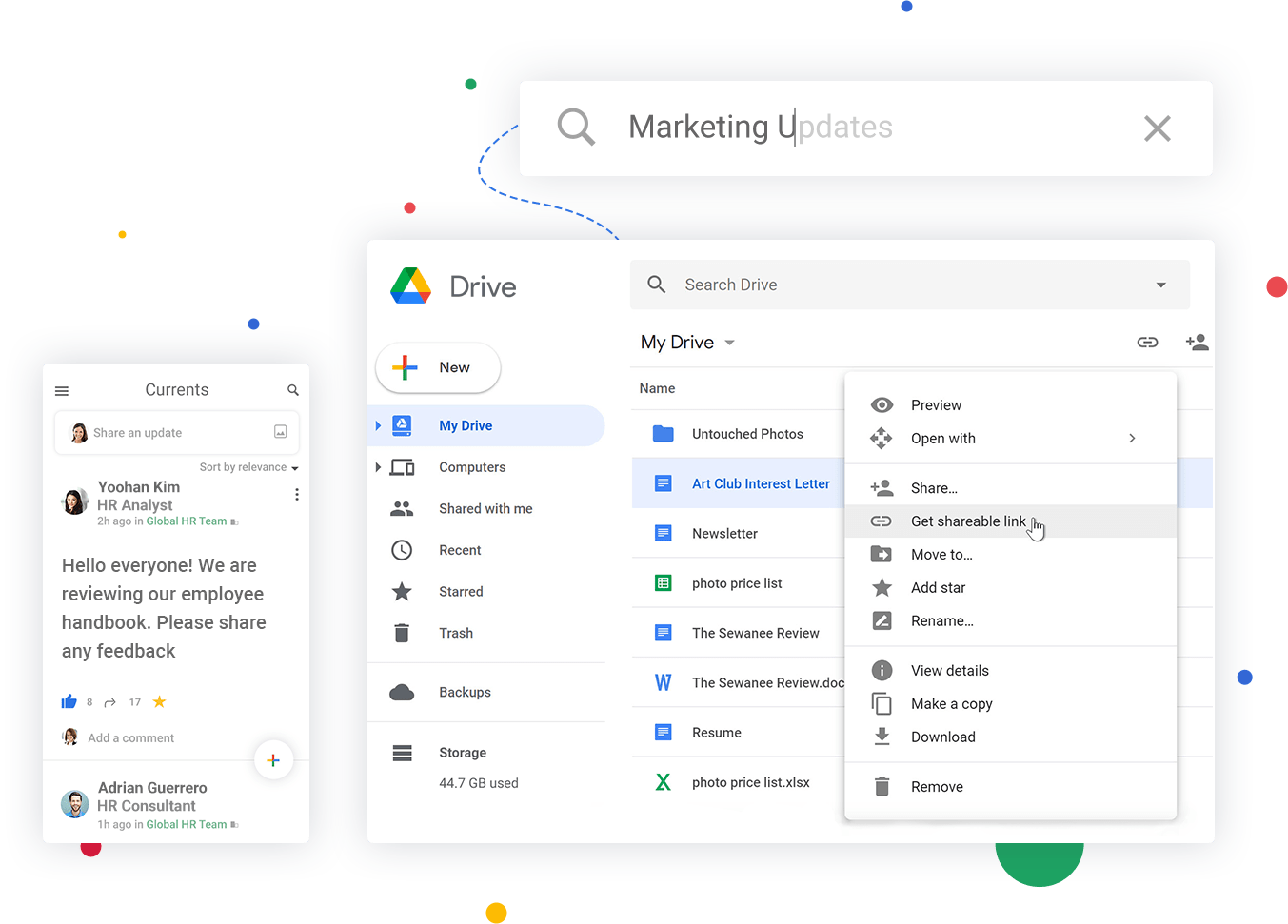
Google Workspace allows teams to collaborate on documents, spreadsheets, and presentations in real time. Employees can store files securely on the cloud using Google Drive and share them instantly with colleagues. Team members can edit files simultaneously, leave comments, and track changes, making collaboration more efficient than traditional document-sharing methods.

Smart Cloud

Smart Cloud Search

Google’s powerful search capabilities allow employees to find files quickly across multiple applications. Users can search through Gmail, Drive, Docs, Sheets, Slides, and Calendar to locate important information instantly. This intelligent search feature saves time and helps employees stay productive throughout the workday.

Google Currents

Stay Updated with Google Currents

Google Currents helps teams share updates, ideas, and company announcements. Employees can participate in discussions, collaborate on ideas, and stay connected with organizational developments in a centralized platform.
Gsuite Collaborate
Google Admin

Efficient Control from a Single Place

Administrators can manage users, groups, and security settings through the Google Workspace Admin Console. This centralized dashboard makes it easy to configure permissions, monitor activity, and manage organizational accounts.

Controls

Archive Data with Ease

Google Vault allows organizations to store, manage, and retain important data securely. Businesses can maintain records, manage compliance requirements, and retrieve important information when necessary.

Google Vault

Stay Secure with Endpoint Management

Google Workspace provides enterprise-level security features that protect company data across devices. Administrators can control employee access, monitor devices, and ensure data remains protected even when employees work remotely. At Software Sale, businesses can easily set up and manage their Google Workspace accounts with expert support and flexible subscription options.

Gsuite Manage Feat

Transform Your Workplace with Google Workspace

Digital collaboration is essential for modern businesses, and Google Workspace provides the tools needed to enhance productivity, communication, and data security. With reliable infrastructure, intelligent AI features, and seamless collaboration tools, businesses can create a smarter and more connected workplace environment. If you want to improve team collaboration and streamline business operations, explore Google Workspace solutions at Software Sale today.

Get started now and choose the perfect Google Workspace plan for your business.

Get Started with Google Workspace

Choosing the right google workspace plans helps businesses find the perfect balance between productivity tools, storage capacity, and collaboration features. Software Sale offers multiple subscription options to suit different business needs.

Google Logos

Business Starter

₹ 160.65 INR

₹ 270 *

per user/month, one-year commitment

This plan is ideal for small businesses or startups looking to adopt professional collaboration tools at an affordable google workspace price.

Business Standard

₹ 864 INR

₹ 1,080 *

per user/month, one-year commitment

This plan is suitable for growing organizations that require larger storage capacity and advanced collaboration tools.

Business Plus

₹ 1700 INR

per user/month, one-year commitment

Businesses that require higher storage limits and enterprise-level security features often prefer this plan.

Google Workspace is a cloud-based productivity and collaboration platform developed by Google. It includes tools like Gmail, Google Drive, Docs, Sheets, Slides, Calendar, and Meet. Businesses use these applications to improve communication, increase productivity, and securely access files from any location.

Google Workspace includes essential productivity tools such as Gmail for professional email, Google Drive for secure cloud storage, Google Docs, Sheets, and Slides for document creation, Google Calendar for scheduling meetings, and Google Meet for video conferencing and team collaboration.

Google Workspace integrates seamlessly with many third-party tools such as Microsoft Office, Salesforce, Slack, Trello, and CRM platforms. This integration allows businesses to access their essential tools in one ecosystem, improving workflow efficiency and enabling teams to collaborate more effectively across different platforms.

Google Workspace includes advanced security measures such as two-factor authentication, encryption, anti-malware protection, and administrator controls. It also supports compliance with major standards like GDPR, HIPAA, and ISO certifications, ensuring organizations can manage and protect sensitive business data safely.

Yes, businesses can easily migrate emails, contacts, calendars, and files from other platforms such as Microsoft Exchange or older G Suite systems. Google provides migration tools and guides that help organizations transition their existing data smoothly to the new Google Workspace environment.

The google workspace price structure is based on a subscription model where businesses pay per user per month. Different plans offer varying storage limits, collaboration features, and security controls, allowing companies to choose a plan that suits their size and operational requirements.

Google Workspace customers receive support through multiple channels including online documentation, community forums, live chat, and phone assistance. Businesses can get help with technical issues, setup guidance, account management, and troubleshooting to ensure smooth usage of their productivity tools.

Latest Updates

Shopping Cart
Scroll to Top